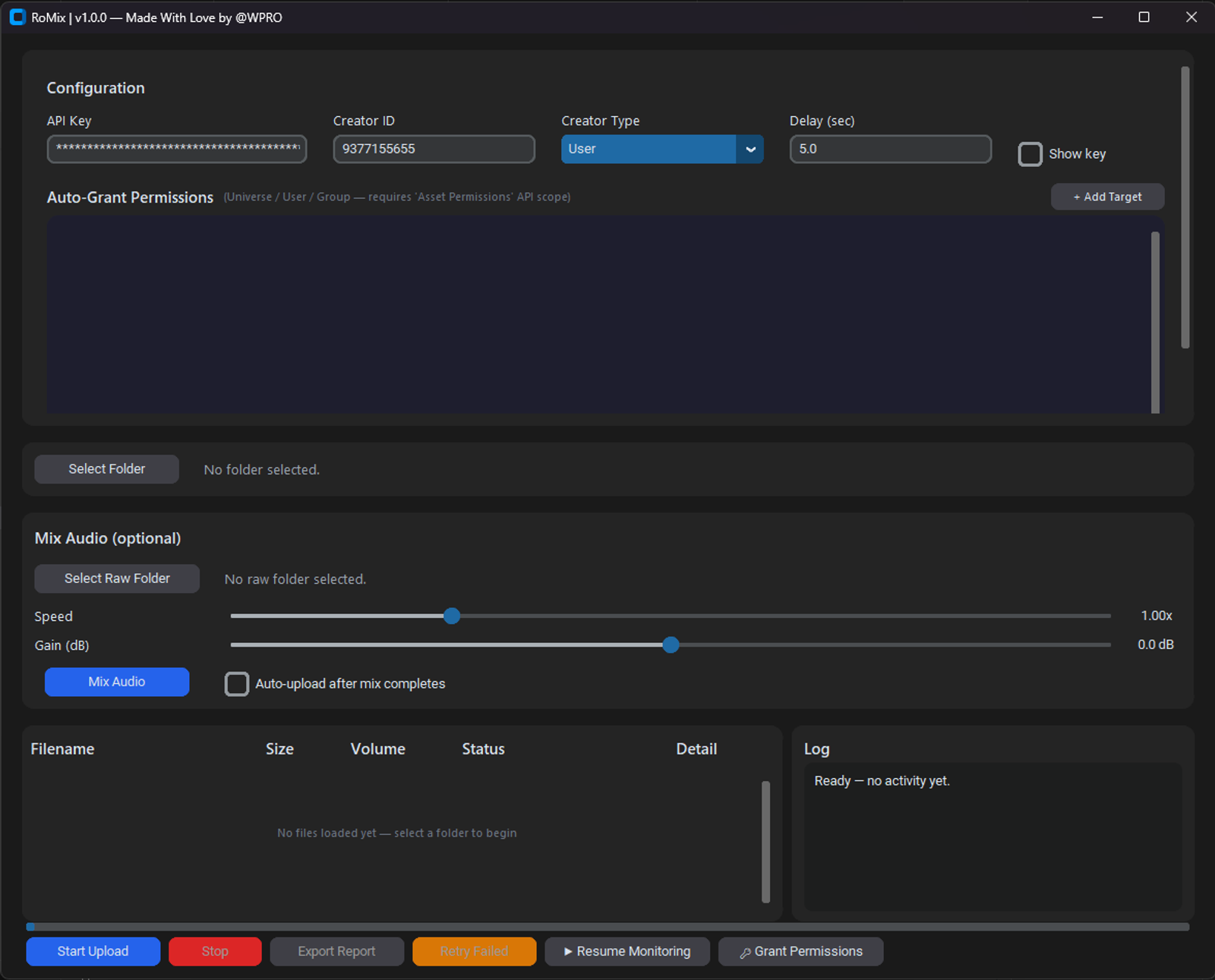
Romix - Automated Audio Processing and Ingestion Pipeline for Roblox
Overview
RoMix is a comprehensive desktop application built in Python that automates the processing, mixing, and uploading of audio assets to Roblox. Designed to streamline audio management for live in-game events and automated music systems, it bridges the gap between local raw audio files and Roblox DataStores.
The application is compiled into a standalone .exe using Nuitka, ensuring native performance and strong protection against reverse-engineering of the proprietary mixing and upload logic.
Tech Stack
This project leverages a multi-environment stack to handle local processing, secure bridging, and in-game ingestion:
Client Application (Desktop)
- Language: Python
- Compilation/Obfuscation: Nuitka (Compiles to C for native execution)
- Audio Processing:
pedalboard(Spotify's audio processing library) - Security: OS
keyring(Secure credential storage) State Management - Local JSON storage (
upload_history.json,pending_moderation.json)
Bridge Server (Backend)
- Environment: Node.js / Python
- Data Storage: Redis (In-memory payload caching)
- Authentication: Custom header validation (
x-bridge-secret)
Roblox Engine (In-Game)
- Language: Luau
- Framework: Knit
- Services: HttpService (Polling), DataStoreService (Persistence)
Key Features
- Advanced Audio Processing: Select raw source folders, adjust playback speed (pitch-linked, 0.5x–2.5x), and configure gain parameters.
- Automated Track Splitting: Any audio track exceeding the 7-minute Roblox limit is automatically split into sequential parts during the mix phase eliminating the need for manual trimming.
- Pre-Upload Auditing: Preview the estimated post-mix loudness of each file directly in the UI's Volume column before committing the batch.
- Batch Upload & Queue Management: Initiate batch uploads with real-time tracking of upload progress, Roblox moderation status, and error handling through the queue table and log panel.
- Live Datastore Synchronization: Uploaded
AudioIds are securely transmitted to a custom Bridge Server. If a sync fails (e.g., due to an invalid secret), the Retry Bridge Sync feature resends the built payload without duplicating the upload process.
How It Works (The Pipeline)
The RoMix ecosystem operates in a strict, sequential pipeline ensuring data integrity from local files to the game server:
Phase 1: Local Preparation & Mixing
- Selection & Configuration: The user selects a folder containing raw audio files and configures the desired Gain and Speed via the desktop GUI.
- Analysis & Processing: The app analyzes each track. Using
pedalboard, it applies the audio transformations. If a track exceeds Roblox's 7-minute upload limit, RoMix automatically calculates and splits the track into seamlessly sequential parts. - Auditing: The UI calculates and displays the estimated post-mix volume, allowing the user to verify the output before committing bandwidth.
Phase 2: Upload & State Tracking
- Deduplication: Before uploading, the app checks the audio hash against
upload_history.json. If it already exists, the upload is skipped to save time and API quota. - Batch Uploading: The app connects to the Roblox API, authenticating via credentials stored securely in the OS keychain.
- Moderation Queue: Newly uploaded assets are logged into
pending_moderation.json. The app tracks this list, querying Roblox's moderation endpoints until the assets are cleared for use.
Phase 3: Bridge Sync & In-Game Ingestion
- Payload Construction: Once assets are uploaded (and optionally cleared by moderation), RoMix constructs a JSON array payload containing the
AudioIds and metadata. - Bridge Transmission: A
POSTrequest is sent to the Bridge Server with anx-bridge-secretheader. The server stores this payload temporarily (e.g., in Redis) alongside a timestamp. - Knit Integration (Roblox): The in-game
LiveMusicIngestion.luaumodule (initialized viaMusicService:KnitStart()) continuously polls the Bridge Server viaGETrequests. - DataStore Commitment: When the Luau module detects a new timestamp, it downloads the payload, deduplicates the
AudioIds against its existing database, and writes the new tracks into a shared Roblox DataStore, making them immediately available for in-game playback.
Local Data Files
The client relies on local JSON files for persistent state management across sessions (safe to .gitignore if developing):
-
upload_history.json: Hashes of previously uploaded files. pending_moderation.json: Assets awaiting Roblox moderation.settings.json: Non-sensitive preferences (Creator ID/Type, delay).
Disclaimer
This tool uploads audio you have the rights to distribute. It does not include, and will not include, functionality for downloading copyrighted music from streaming services or other sources without authorization.